You will need:
- an email address for us to send the licence to
- a credit or debit card pay for the licence.
Buy a licence
- Open your web browser and go to www.doc.govt.nz/fishinglicence.
- Select the category of licence you need:
- Taupō licences for NZ residents
- Taupō licences for NZ non-residents
- Lake Rotoaira licences
- Select the licence you need (for example Family Season, Adult Week, Child 24-hour).
- Set up an account or buy as a guest. Accounts take a bit more setup but make things easier next time.
- To sign up for a new account, click Sign up now at the bottom of the window.
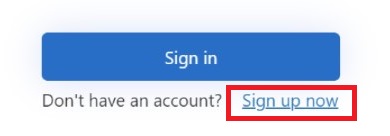 After you type your email address, we’ll email you a code to enter, to make sure that it’s your email address.
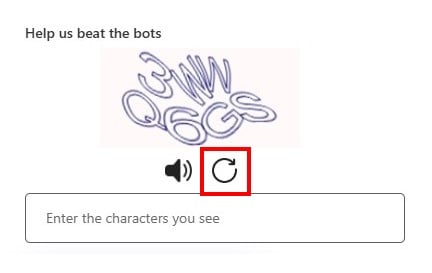
 - When you sign up or sign in, you’ll also need to enter some letters to prove you’re a real human. This is for security. If you have trouble reading the letters, tap the Refresh button to get new letters
- To sign up for a new account, click Sign up now at the bottom of the window.
- Fill in your personal details.
- If you created an account, these are remembered for next time.
- If you are buying as a guest, we’ll email you a code to enter, to make sure that it’s really your email address.
- Fill in the licence form. For some licences, some or all of the information will already be filled in. Click Add to put this licence in your shopping cart.
- In the shopping cart, click Finish and pay now, then enter your card details.
You will receive an email confirming your purchase along with a digital version of your fishing licence. If you bought a season licence, we’ll also send you a plastic wallet card in the post.
If you have problems buying your licence, contact DOC.
- Phone: 0800 275 362
- Email: fishlicence@doc.govt.nz
Remember to always bring your licence with you when you go fishing.